Day 32: NumPy Array Manipulation and Vectorization
What You’ll Build Today
A high-performance image batch processor using vectorized operations
Neural network weight initializer with broadcasting
Performance comparison tool showing 100x+ speedups over Python loops
Why This Matters
Yesterday you created NumPy arrays. Today you’ll learn to manipulate them at speeds that make AI systems actually work. Here’s the reality: when Tesla’s Autopilot processes 36 cameras at 36 frames per second, it’s performing over a billion array operations per second. Python loops would make this impossible—a single second of processing would take minutes. Vectorization makes it take milliseconds.
Every production AI system—from Google’s search ranking to Spotify’s recommendations—depends on the techniques you’ll learn today. This isn’t optimization trivia; it’s the fundamental pattern that separates prototype code from deployable AI.
Core Concepts
1. Array Reshaping: The Shape-Shifter
Arrays in AI systems constantly change shape. An image starts as a 3D array (height × width × channels), becomes a 1D vector for a neural network layer, then reshapes back for display. Think of it like water—same molecules, different containers.
import numpy as np

# A 1000x1000 RGB image (3 million values)
image = np.random.randint(0, 255, (1000, 1000, 3))

# Flatten for neural network input
flat = image.reshape(-1)  # 3,000,000 values

# Reshape to batch of 100 smaller images
batched = image.reshape(100, 100, 100, 3)
The -1 in reshape is your wildcard—NumPy calculates that dimension automatically. This single feature prevents countless bugs when array sizes vary.
Production Use: At Netflix, recommendation models reshape user viewing matrices thousands of times per prediction, transforming between user-item pairs, temporal sequences, and feature vectors.
2. Vectorization: Thinking in Arrays, Not Loops
Here’s the mental shift that separates beginners from practitioners: stop thinking about individual numbers and start thinking about entire arrays as single objects.
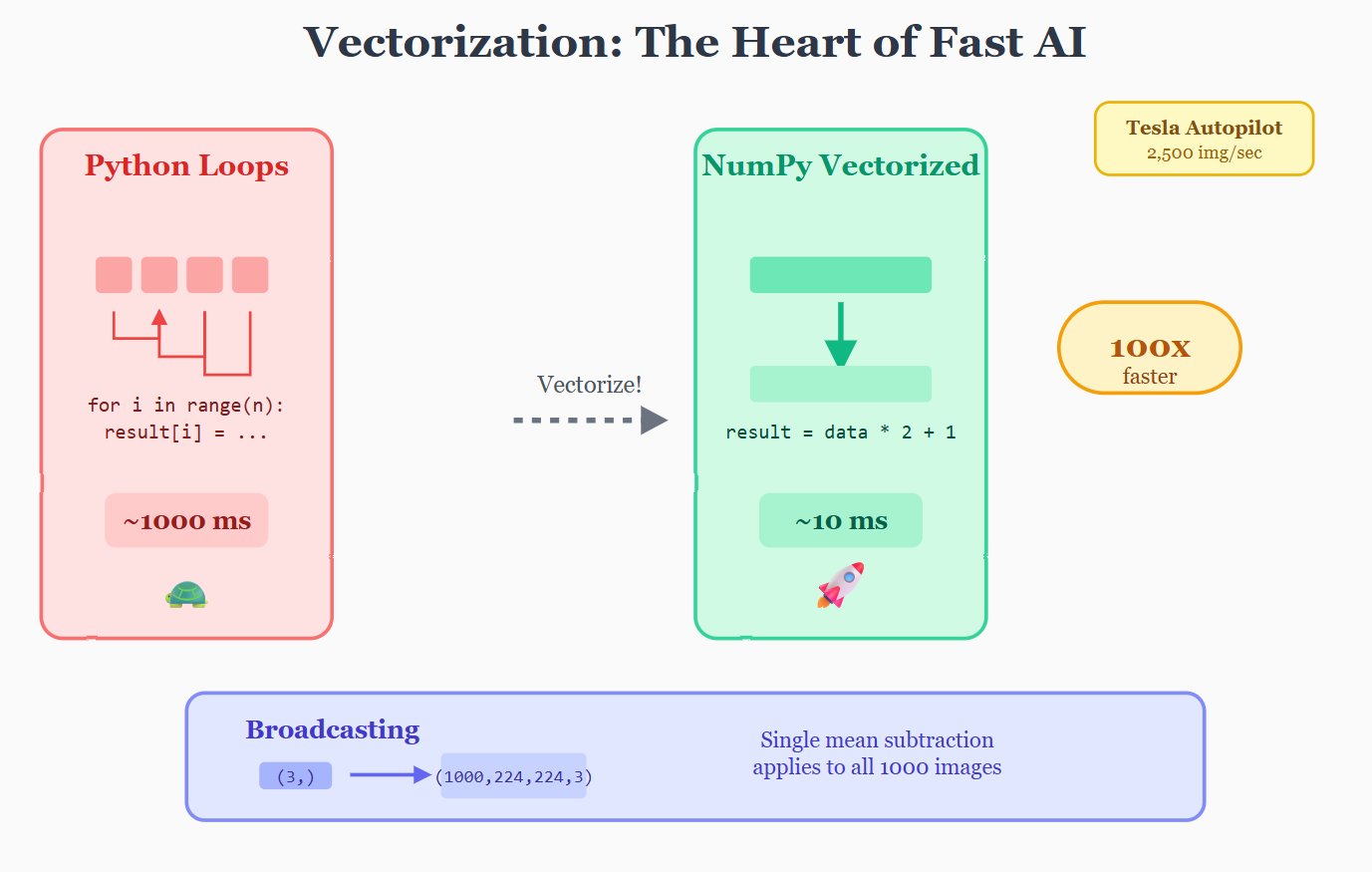
The Slow Way (Python loops):
result = []
for i in range(1000000):
    result.append(data[i] * 2 + 1)
The Fast Way (Vectorization):
result = data * 2 + 1
Same result, but the vectorized version runs 50-200x faster. Why? NumPy operations execute in optimized C code and leverage CPU vector instructions (SIMD) that process multiple numbers simultaneously.
Rule of thumb: If you’re writing a for-loop over array elements in NumPy, you’re probably doing it wrong.